MKO — Portfolio
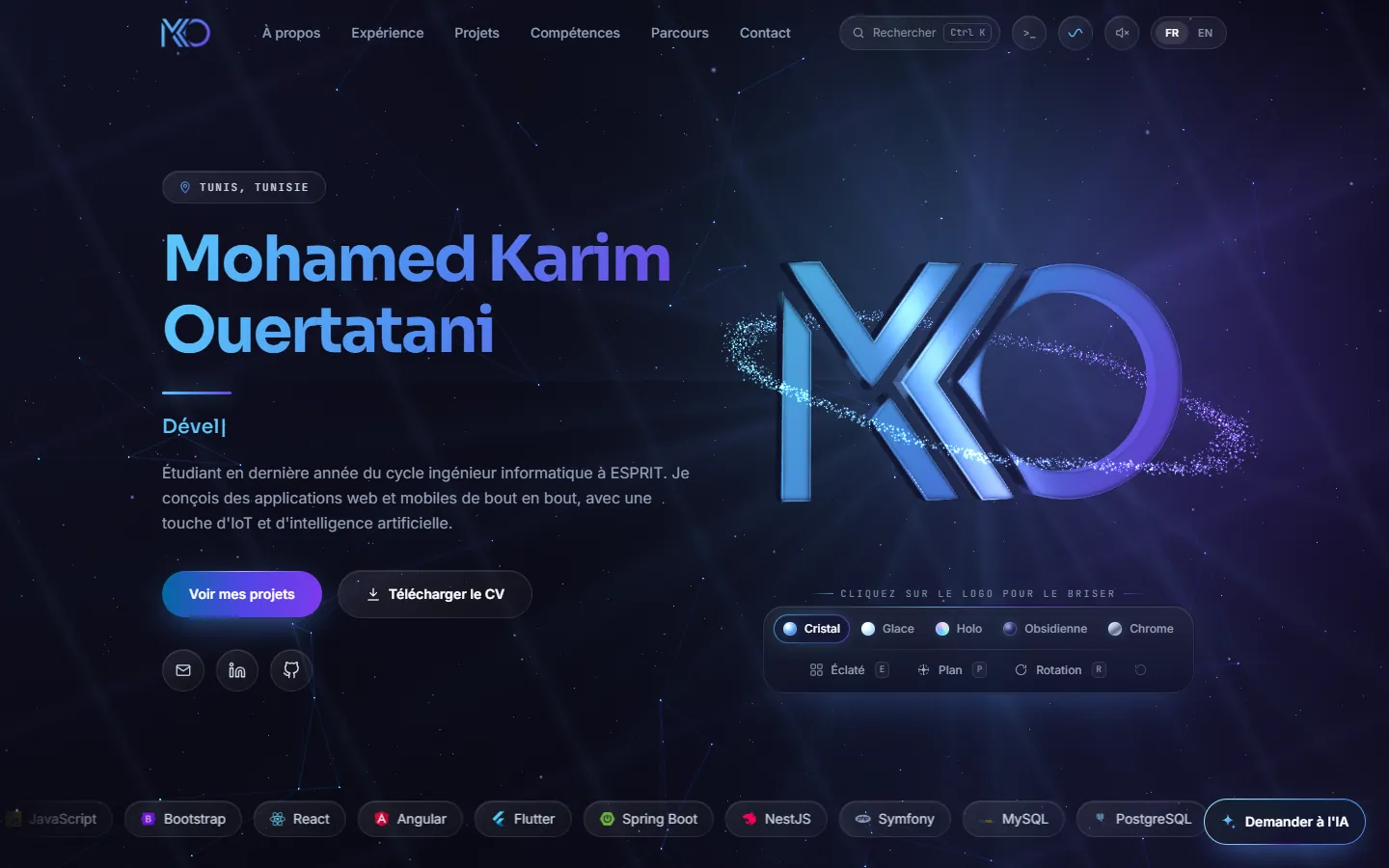
Mohamed Karim OuertataniIngénieur Full-StackFull-Stack Engineer
WebAI

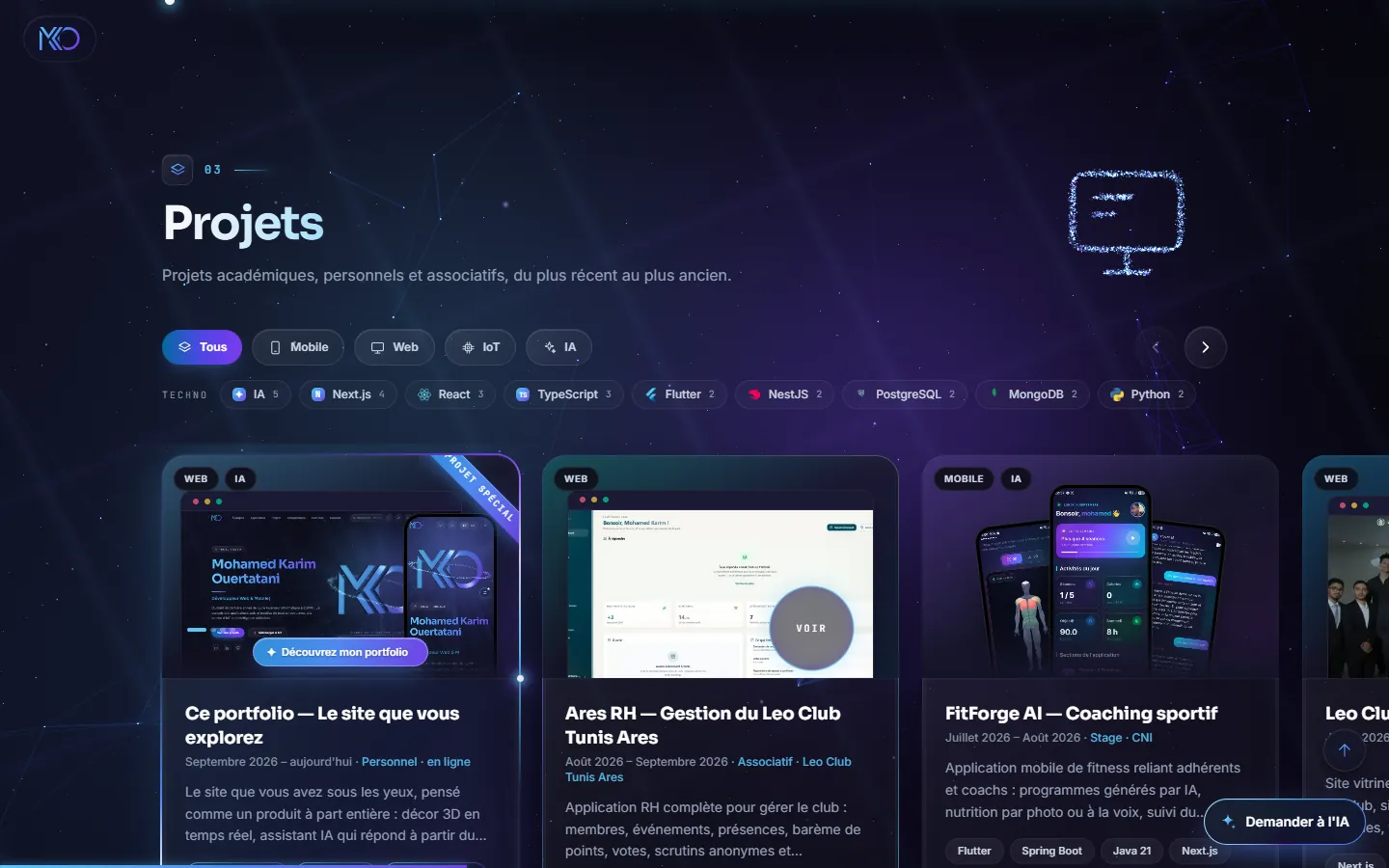
This portfolio

The site you are exploring

September 2026 – today · Personal · live

0views
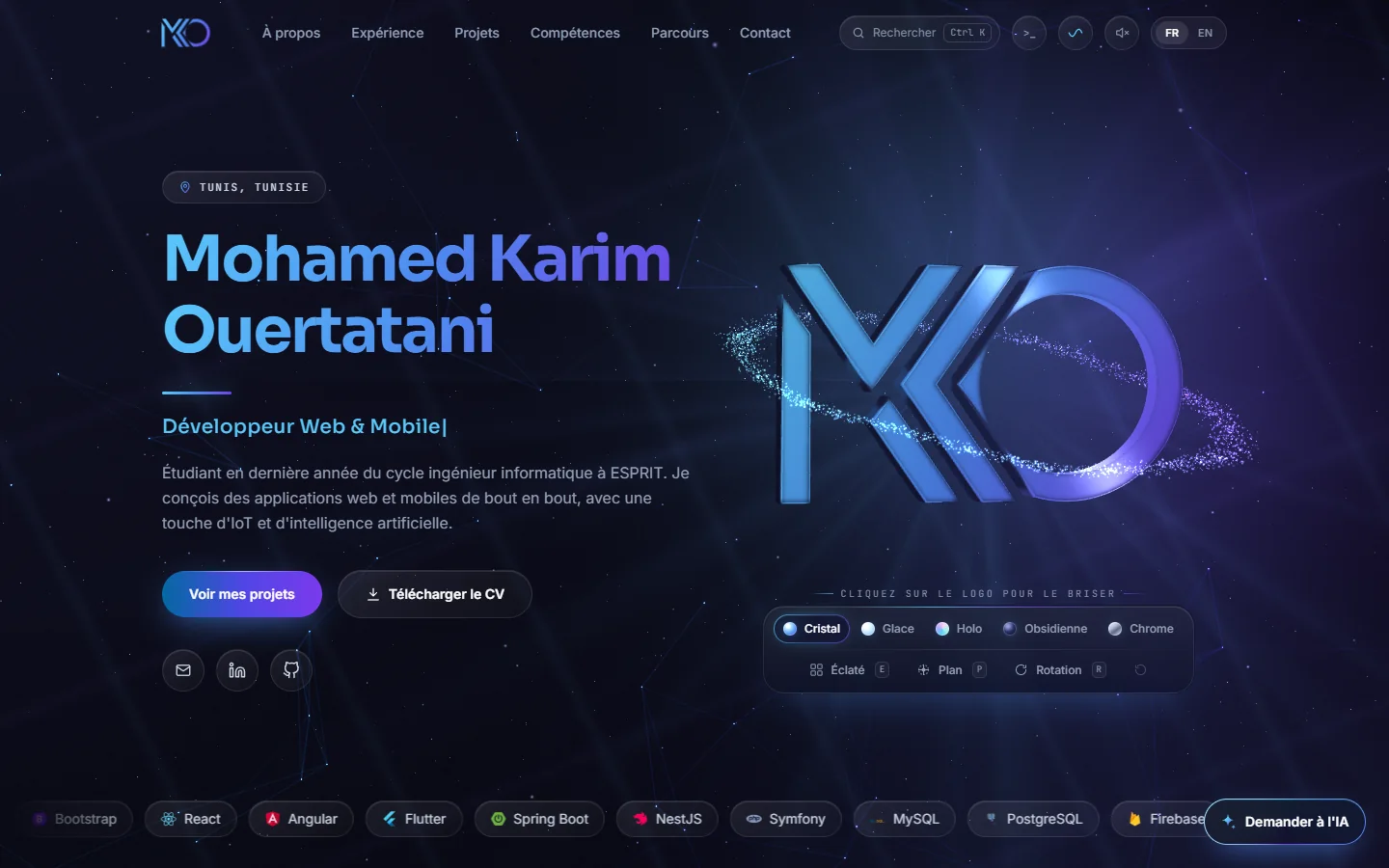
This portfolio
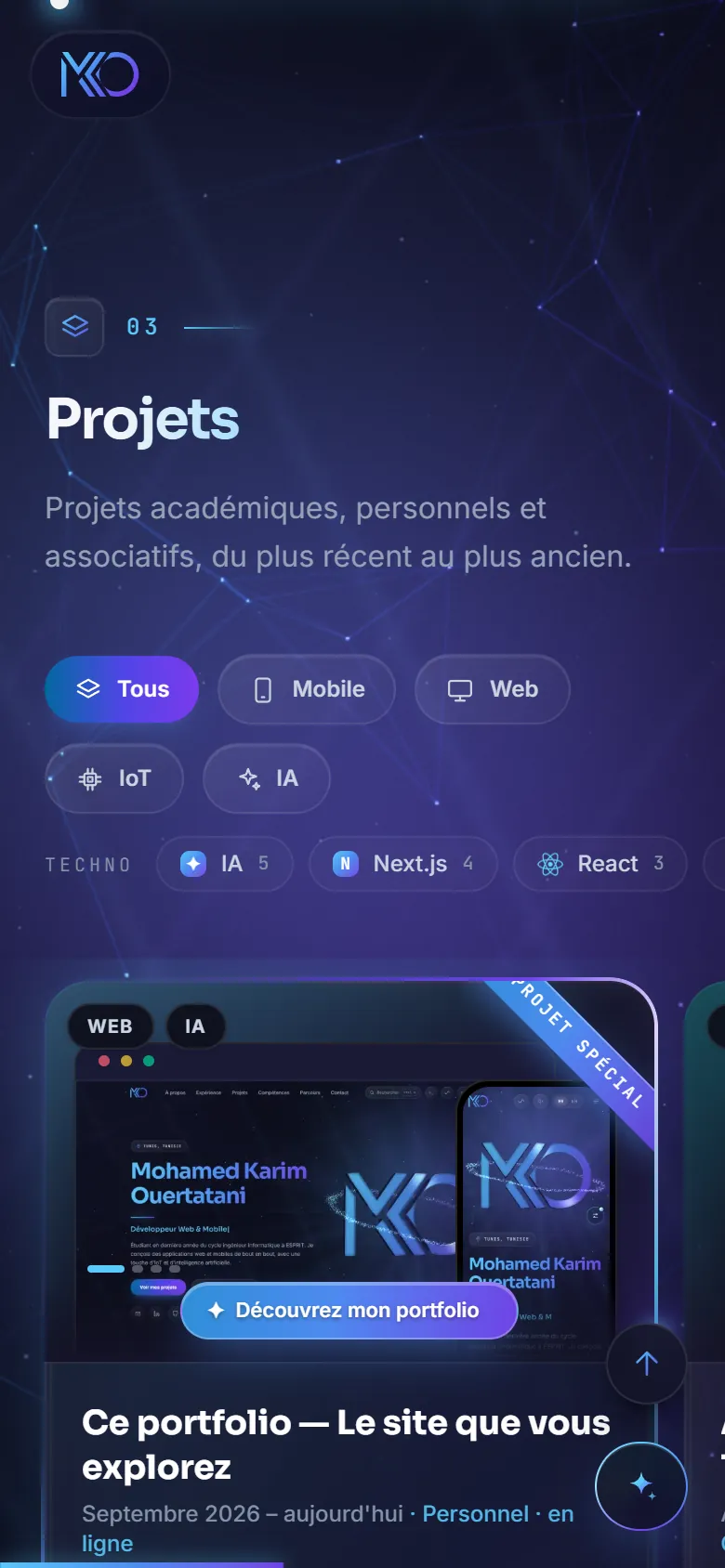
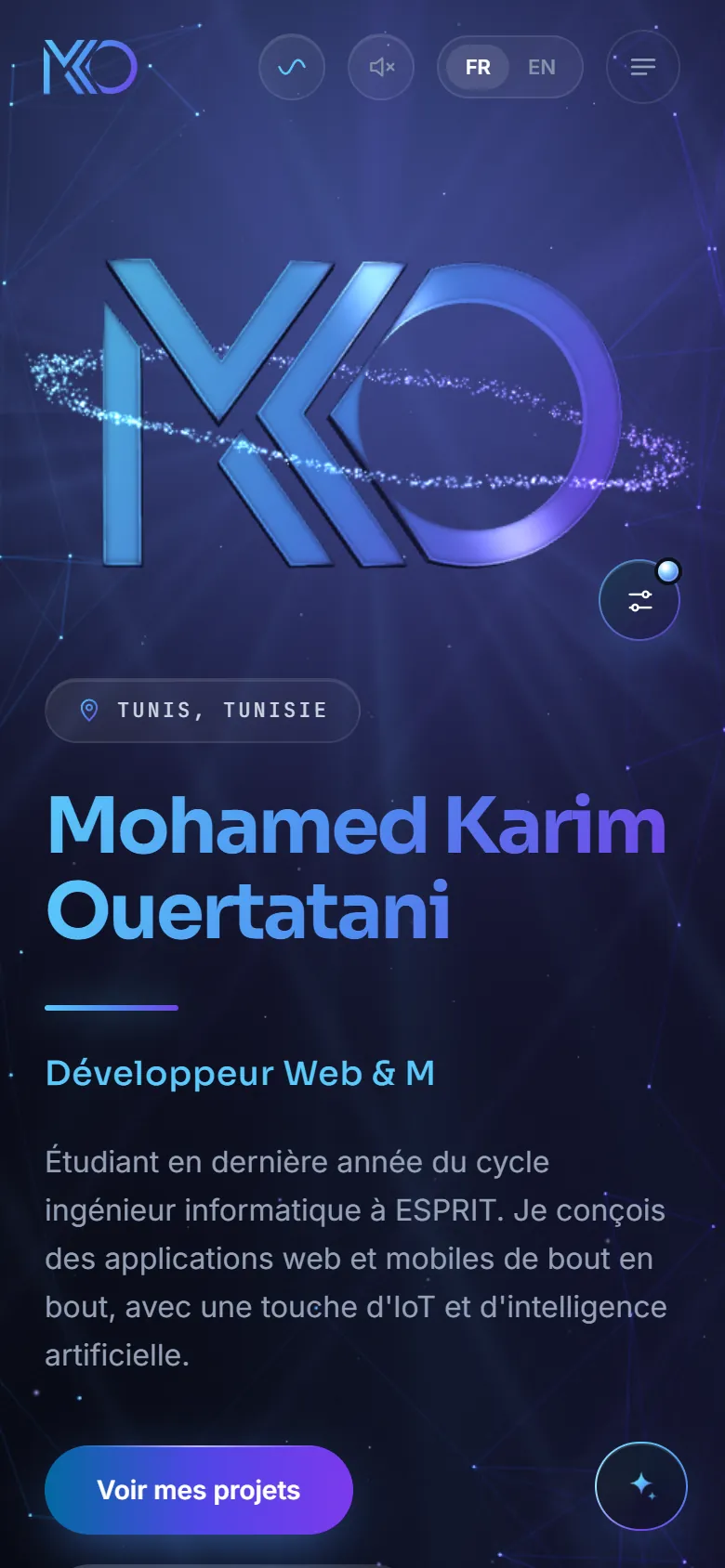
This portfolio — mobile

The site in front of you, built as a product in its own right: a real-time 3D backdrop, an AI assistant that answers from the content, a built-in console, a command palette, filterable projects with views and likes, two languages and a private dashboard.

Guided tour

Everything this site can do

Each feature is explained, shown and above all one click away: the buttons below open it for real, right here.

0 / 15
tried

01 · Explore differently

Three ways to get around without scrolling

Ask a question, type a command or search with two letters: pick your own way.

Karim's assistant
Replayed demonstration

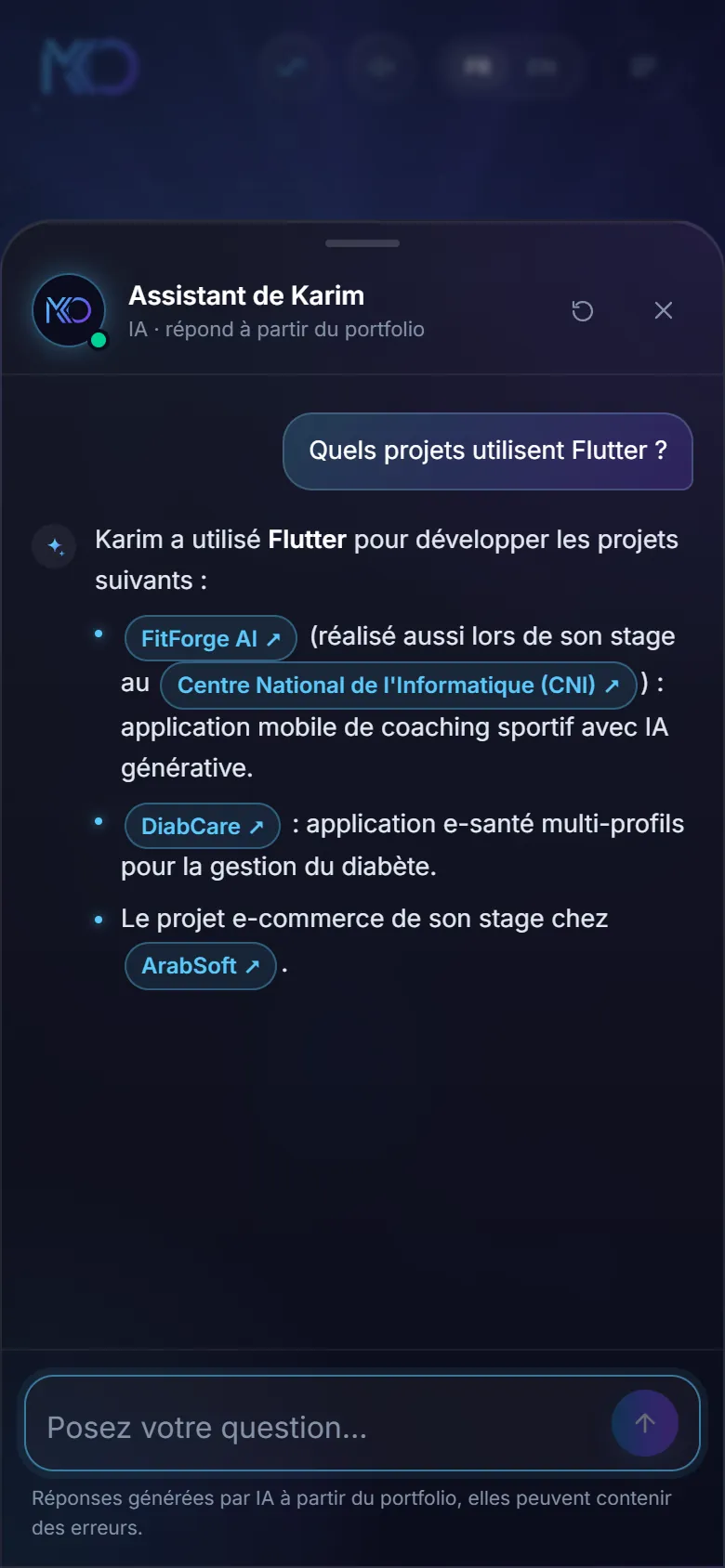
An AI assistant that knows the portfolio

Ask a question in English or in French: it answers from the content of the site, writes its answer word by word and names projects as links that open them.

Where : “Ask the AI” button, bottom right of every page

karim@mko — zsh

karim@mko:~$ p

Replayed demonstration

A built-in console

24 commands to drive everything from the keyboard: list the projects, open one, change the language or the sky, ask the assistant. History, Tab completion, and a few surprises.

Where : “>_” button in the top bar

Ctrl K

  • This portfolioThe site you are exploring
  • Ares HRLeo Club Tunis Ares Management
  • FitForge AIFitness Coaching
  • Leo Club Tunis AresOfficial Website
Replayed demonstration

A command palette

Two letters are enough to jump to a section, open a project or an internship, copy the e-mail or switch language. Arrows and Enter do the rest.

Where : “Search” field in the top bar

02 · A living backdrop

Real-time 3D that knows its place

The backdrop and the logo are computed live in the browser. They react, then step back.

The sky of Tunis, at the real time

The sky of Tunis, at the real time

The backdrop follows the time in Tunis: lighter by day, a violet glow at dawn and dusk, deeper at night. Always in the brand colours.

Where : Behind every page; the time shows in the footer

Animations you can calm down

Animations you can calm down

One button gently slows the whole backdrop to a stop, without touching useful transitions. The choice is remembered, and the device's “reduce motion” setting is respected from the start.

Where : Wave icon in the top bar

Sound design, on request

Sound design, on request

Off by default. Once on, light sounds follow page openings, important clicks and the logo as it shatters.

Where : Speaker icon in the top bar

03 · The projects

A gallery made to be searched

Cards that open full screen, filters that combine, and counters that are real.

Pages that grow out of their card

Pages that grow out of their card

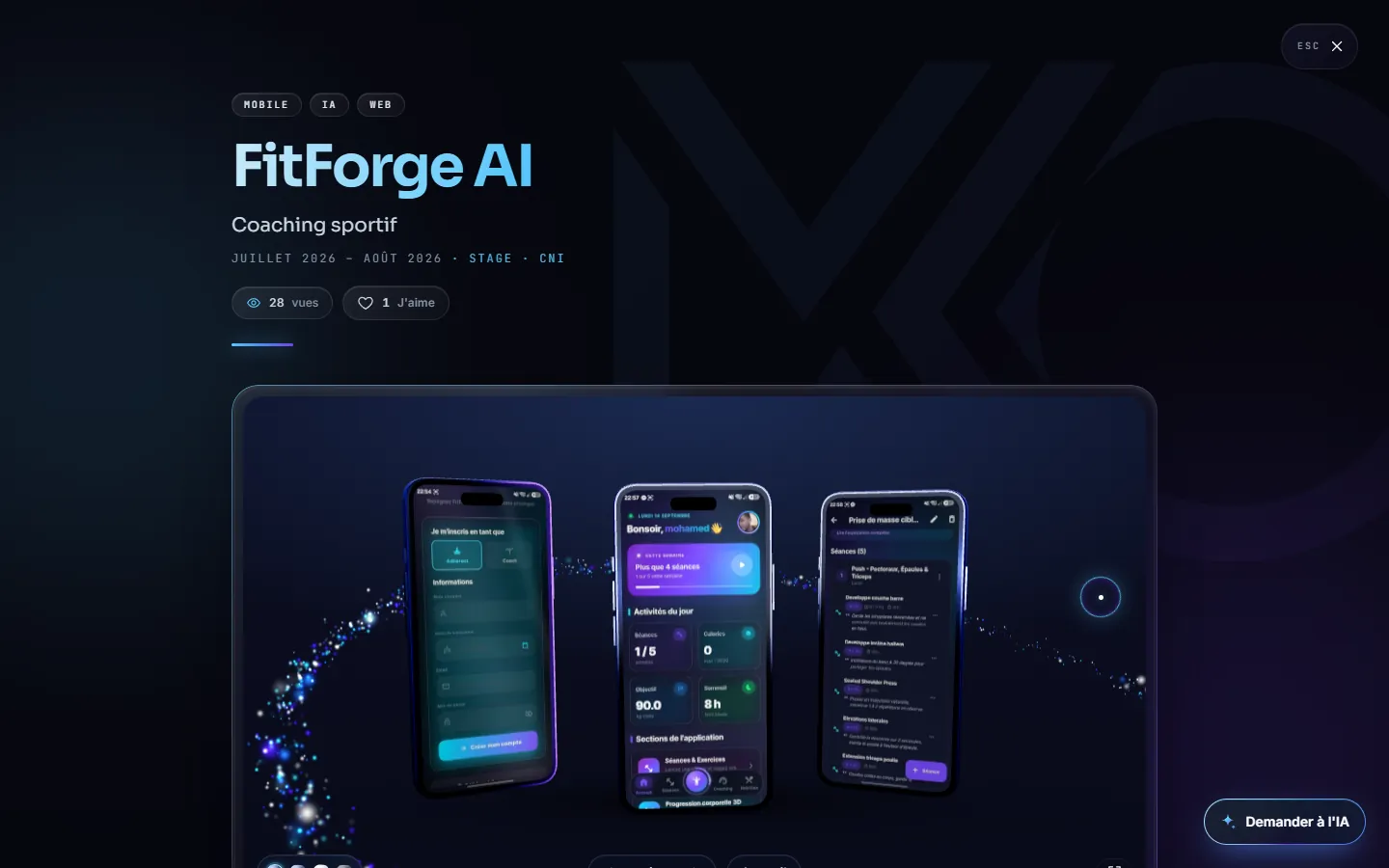
Each project opens from its card and returns to it when closed. Inside: 3D mockups of the screens, a case study, figures, architecture and captures. Each page also has its own address to share.

Where : You are on one: this page

Live views and likes

Live views and likes

Each page counts its visits and its likes, anonymously. The heart reacts at once, then the server confirms.

Where : Under the title of each project, and at the bottom of each card

04 · Skills and background

Technologies tied to what was built with them

Nothing is listed without proof: each technology leads to the projects and internships where it was used.

A constellation of technologies

The main technologies are stars, linked when a project uses them together. A click on one filters the project gallery.

Try it here
A card for every technology

A card for every technology

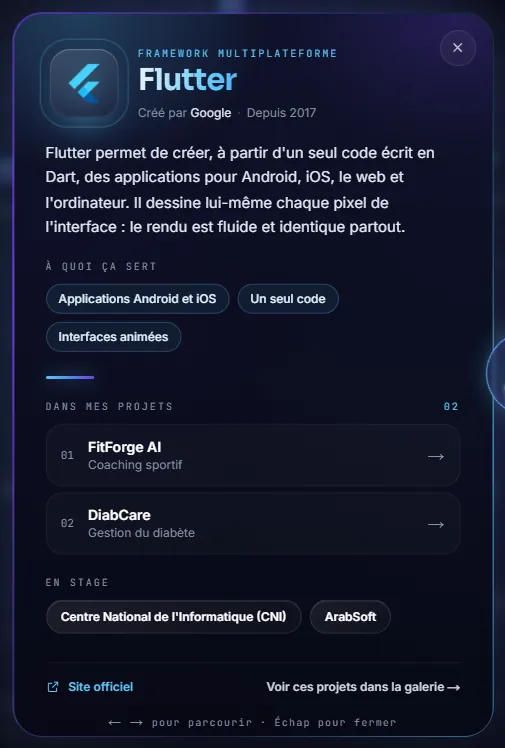
What it is for, who created it, and above all in which projects and internships I used it. Cards can be browsed with the arrow keys.

Where : A click on any technology in the skills

GitHub activity, live

GitHub activity, live

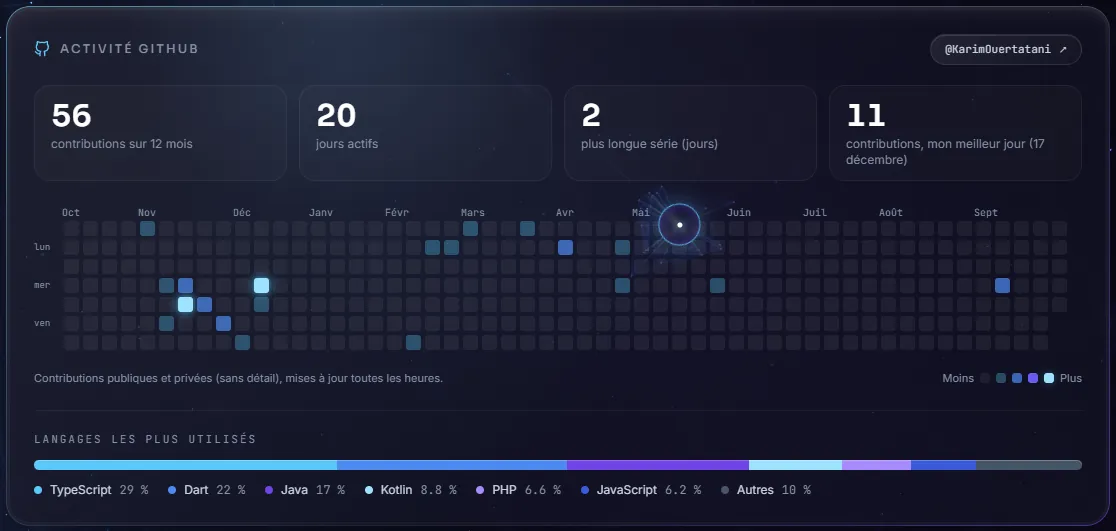
The contribution calendar of the year and the split of languages, read from GitHub and drawn on a single canvas.

Where : Under the constellation

Internships told, not just listed

Internships told, not just listed

Each internship opens its page: the mission, what was delivered, the technologies, and a presentation of the company with its sources.

Where : “Experience” section

05 · Two languages, one simple contact

Readable everywhere, reachable in one gesture

The site reads in English as well as in French, and the contact card fits in a phone.

English and French, without reloading

English and French, without reloading

The whole site switches language on the fly, the address follows, and each language is indexed separately by search engines.

Where : FR / EN button in the top bar

A contact card to take away

A contact card to take away

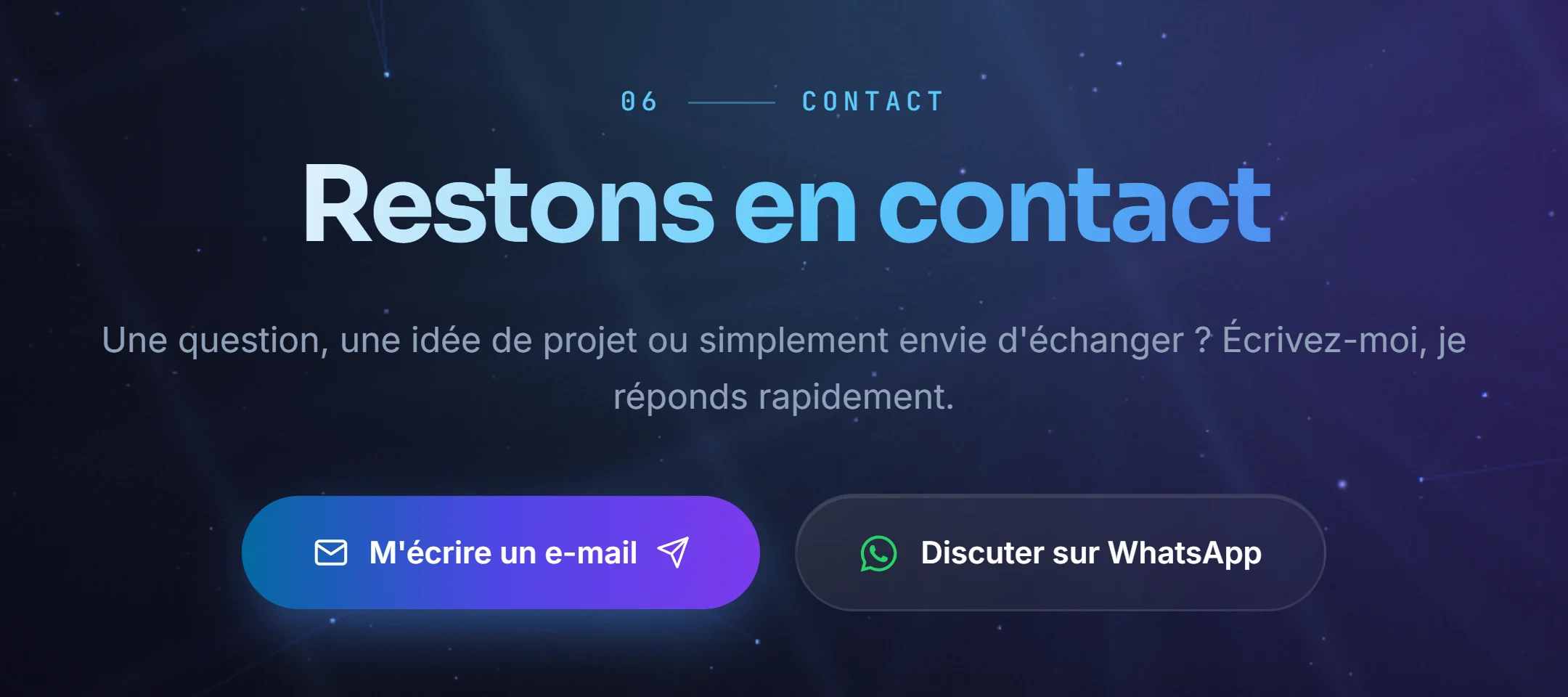
A QR code to scan or a button to add me straight to your contacts, the e-mail copied in one click and a form to write without leaving the page.

Where : “Contact” section, at the bottom of the home page

06 · On every screen

Designed for phones as much as for desktops

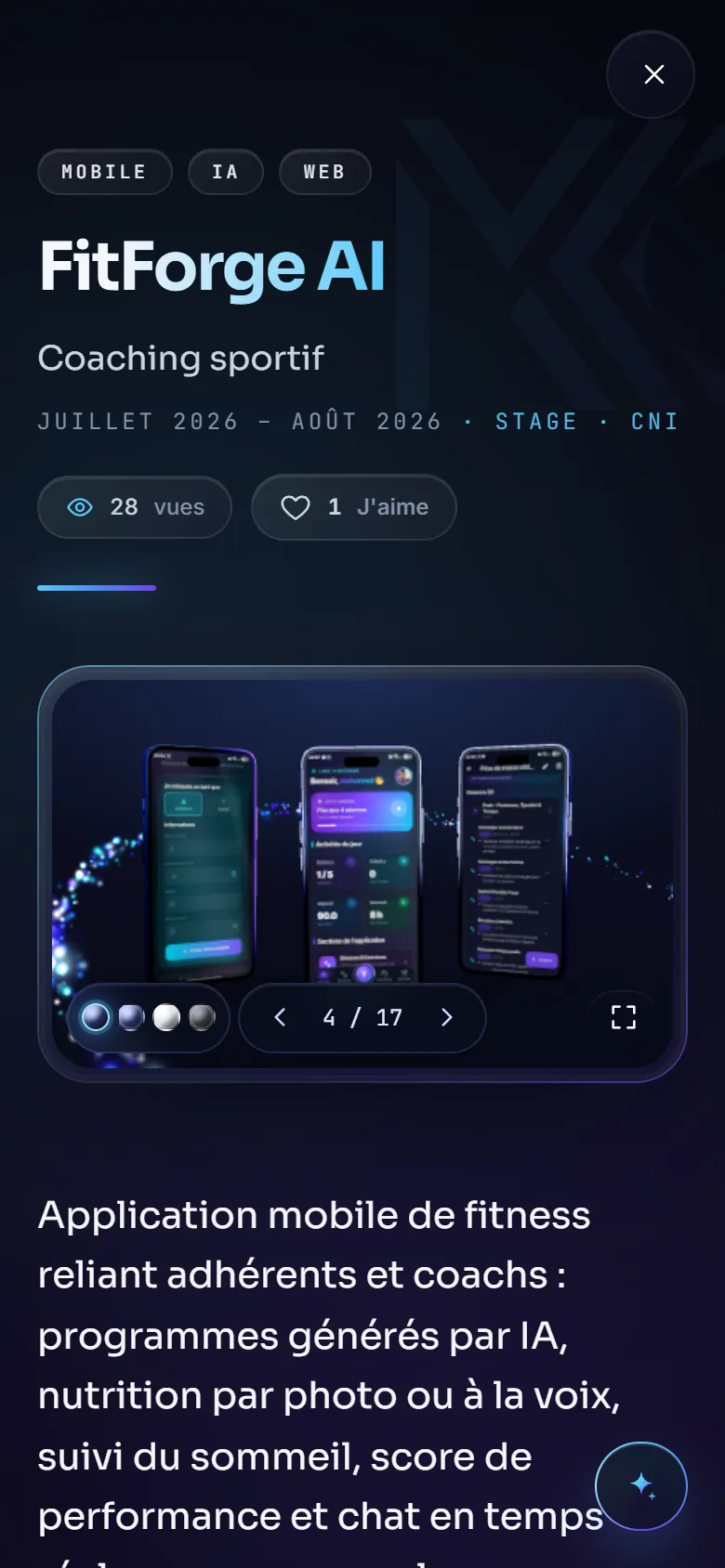
It is not the desktop version made smaller: on a phone, the assistant becomes a sheet rising from the bottom, the gallery slides under a finger, the logo settings fit in one button and the console takes the whole screen.

On desktop
On a phone
  • A layout of its own for each screen size
  • Touch gestures: swipe, tap, vibrate
  • The same features, nothing removed

On a phone

On a phone — Screenshots 1
On a phone — Screenshots 2
On a phone — Screenshots 3
On a phone — Screenshots 4

07 · Behind the scenes

A private dashboard to follow the life of the site

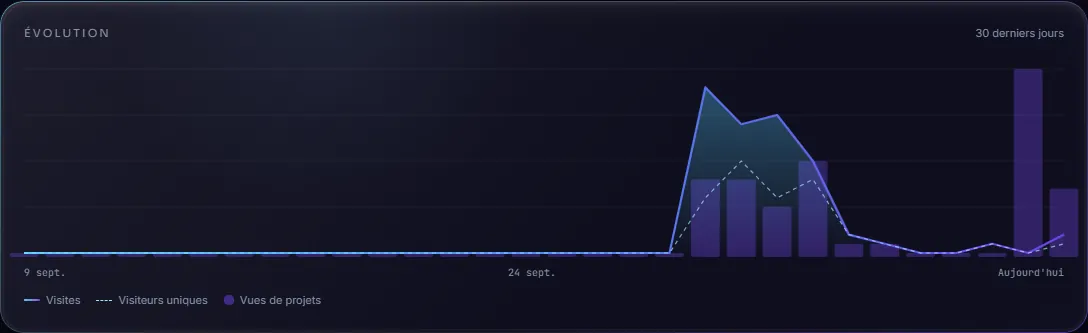
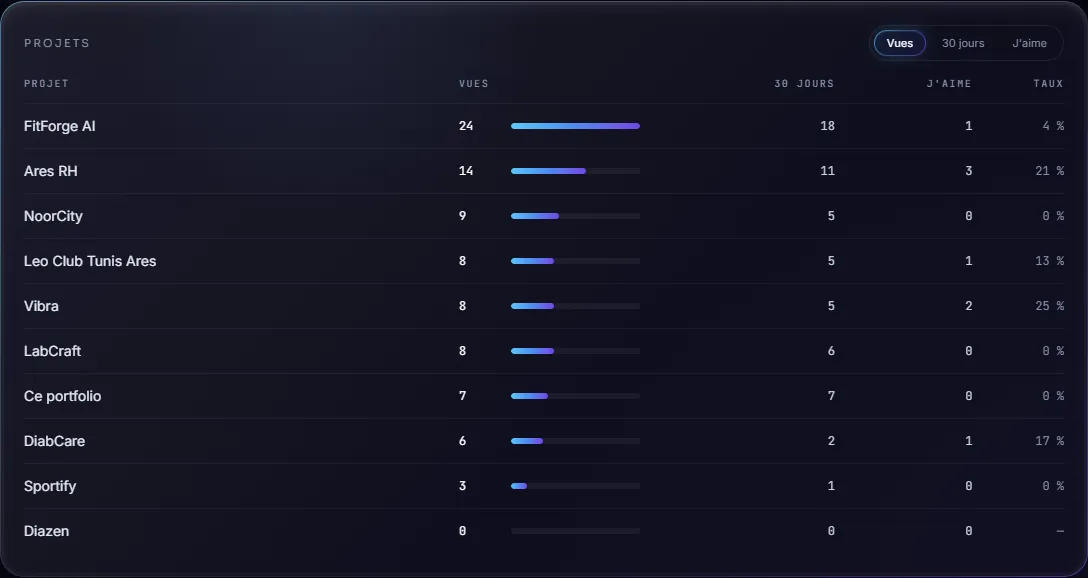
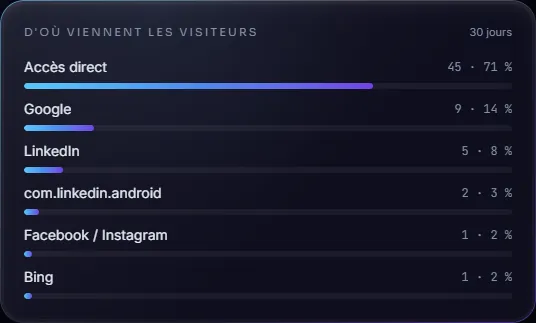
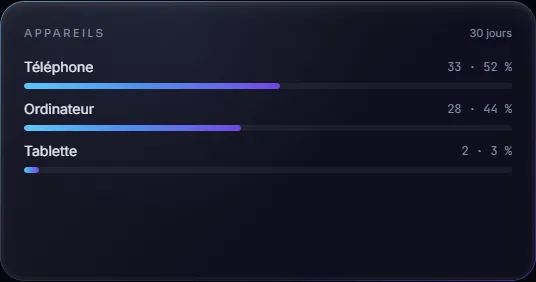
Behind the site, a reserved space shows me what visitors look at: visits, most viewed projects, where they come from, devices. The captures below come from that dashboard, with its real figures.

Private access, password protected

Anonymous by design

No cookies, no IP address kept: only counters per day.

Home-made

The measurements, the charts and the export are built into the site, with no third-party tracker.

Useful to decide

Knowing which projects draw the most attention helps choose what to put forward.

Key figures of the last thirty days
Day by day: visits, unique visitors, project views
Ranking of the projects: views, likes and appreciation rate
Where visitors come from
Split by device
Split by device

08 · Its story

Built step by step

From the first visual identity to this page, the milestones of the site.

  1. September 2026

    An identity

    The MKO logo, its cyan-to-violet palette and its typeface become the base of the whole site.

  2. September 25

    Glass and 3D

    A 3D glass logo at the heart of the home page, and projects that open full screen from their card.

  3. September 26

    A logo to play with

    Five materials, an exploded view, a blueprint, rotation, and one button to calm the animations.

  4. September 27

    A site that answers

    The AI assistant, views and likes, GitHub activity, the constellation and the console.

  5. September 28

    Backstage

    A private dashboard to follow visits, with no cookie and no personal data.

  6. September 30

    Ever smoother

    In-depth work so that everything stays smooth, even on a modest computer.

  7. October 7

    Two languages

    The English version with its own addresses, a card for every technology and automated tests.

  8. October 8

    This page

    The site presents itself, and each of its features can be tried in one click.

09 · Under the hood

The care you do not see

  • Automated tests

    A robot opens the site in a real browser and checks the essential journeys at every change.

  • Careful SEO

    Clean addresses per language, a sitemap, structured data and a share image generated for every project.

  • Keyboard navigation

    Palette, console, pages and cards all work without a mouse, with Escape to close.

  • Secure by default

    Protection headers on every page, rate limits, and no personal data stored.

  • 3D that paces itself

    The scene tunes its detail to the device and rests as soon as it is out of sight.

  • Content that is easy to keep alive

    Adding a project means completing one file: the gallery, the assistant and the console follow.

By the numbers

0

languages, each with its own addresses

0

commands in the built-in console

0

materials for the 3D logo

0

project and internship pages

Case study

The challenge

A portfolio often looks like a résumé with a layout. I wanted the opposite: a site to explore, where you can ask a question, open a console or change the material of the logo, while staying easy to read for someone who only has two minutes.

Architecture

Interface

  • Next.js (App Router) and React
  • Glass 3D scene (Three.js)
  • Framer Motion animations
  • French and English

Server

  • Next.js API routes
  • Streamed assistant answers
  • Rate limits per visitor
  • Protected dashboard

Data

  • Redis: views, likes, visits
  • Content in JSON files
  • No cookies, no personal data

Connected services

  • Gemini for the assistant
  • GitHub for the activity
  • Open-Meteo for the weather in Tunis
  • Vercel for hosting

Technical choices

01

One content, several ways in

Projects, internships and skills live in a single file per language. The gallery, the AI assistant, the console and the command palette all read the same source: adding a project makes it available everywhere.

02

An assistant that only knows what the site says

The assistant answers only from the content of the portfolio, names projects as clickable links and writes its answer word by word, like a real conversation.

03

3D that adapts to the device

The scene tunes its own level of detail to the power of the machine, rests when a page covers it, and one button calms every ambient animation.

04

Respectful statistics

Visits are counted anonymously, with no cookie and no IP address kept, and read from a private dashboard.
Screenshots (12)

This portfolio — The site you are exploring — Screenshots 1
1/12

A word about this project

A question, an opinion, an idea?

Write to me right from here. Your message is not published: I am the only one who reads it.

Private: never shown on the site